
 Login

Help! I’ve accidentally blocked a server on Mastodon, what do I do now? How do I restore my follows and followers from that server?
If you’re an ordinary user and you block an entire server on Mastodon, that removes all your follows and followers on that server and prevents you seeing anyone or any posts from that server.
(Admins have different kinds of server blocks that are more powerful.)
I didn’t mean to do it, is there any way I can get back my follows and followers from that server?
Yes, you can undo this, but it will require a bit of work.
Here’s what to do:
- Unblock the server. On your server’s website or web app, go to your profile page, then click the ⋯ button and select Blocked domains, then click the unlock icon next to the server you want to unblock.
- While still on your server’s website or web app, go to
 Preferences > Follows and followers > Severed relationships (if you’re on the mobile web, click Preferences and then ☰ in the top right corner to see the Follows and followers option).
- You will now see a page that lists all the server blocks that have ever caused you to lose follows and/or followers. Next to each block are download links which are downloadable files that list all the follows and followers you have lost because of that particular server block. Find the server block you did accidentally, and click the follower and follows download links for that server (there may only be one link if you only lost either follows or followers rather than both). Save these files onto your computer or phone or tablet.
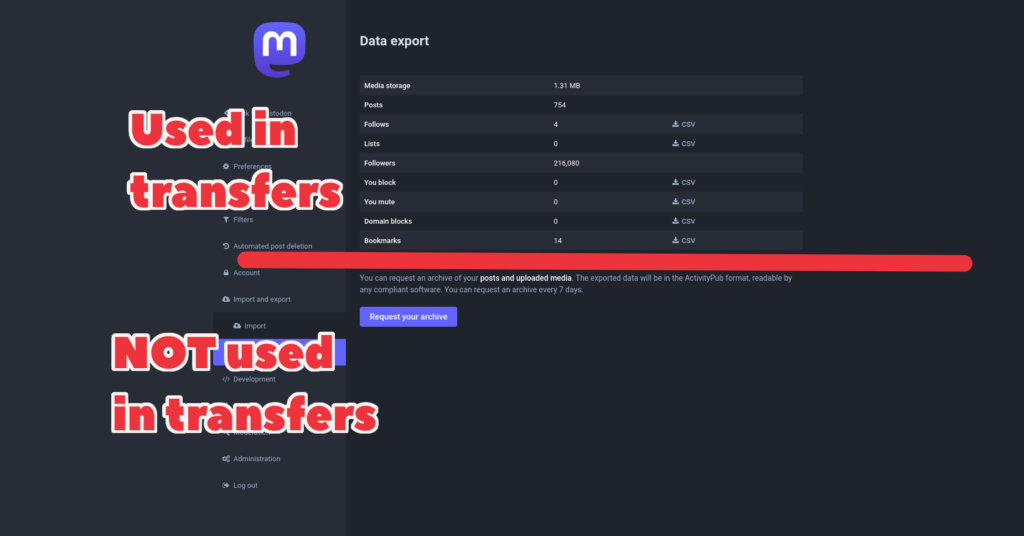
- Go to Preferences > Import and export > Import (mobile users click Preferences > ☰ > Import and export > Import)
- To restore your follows (people you follow) from the blocked server, set the Import type as “Following list”, click Browse and select the file for the follows you downloaded in step 3 above. Then select Merge (do NOT select Overwrite!) and then click Upload.
 NOTE: Seriously, do NOT select Overwrite, that would make things much worse as it would replace your current follows with just the ones you lost.
- To restore your followers (people who follow you), you will need to manually contact each of the followers on the followers file you downloaded and ask them to refollow you.
This looks painfully complicated! Isn’t there an easier way?
It is complicated, which is why there is a warning message before you actually block the server about how many followers and follows you will lose. (If you don’t have any follows or followers on the server you’re blocking, this message isn’t shown.)
However, perhaps there should be a more straightforward undo feature and perhaps the option itself should be more hidden than it currently is. If you’re comfortable using Github, you may want to read or contribute to an open issue about this on the Mastodon Github ⧉.
 Back to the front page
 Back to the front page
 Preferences
 Back to the front page
 Notifications section and click the Mentions tab at the top of the screen.
 on an account’s profile
 Please don’t use flashing images or animations in posts or profiles! This includes attachments and emoji, anything which produces a rapid series of flashes. Flashing images
 Preferences

 next to the first post’s numbering as a visual pun to indicate a thread.
 Back to the front page
 and then select Add Poll
 Preferences > Administration > Relays
 WARNING: Some relays are better moderated than others. Some relays may contain content that breaks your own server’s rules, or may even be illegal in your country. It’s really important to check what kind of content a relay contains before you connect your own server to it. Relays are usually based on specific servers, so you can see such a relay’s content by browsing its server’s Federated feed and reading that server’s rules.

